What is GuppyCubed?
GuppyCubed helps small teams organize source evidence, deliverables, and human review for delivery and acceptance. Digital employees help with meeting follow-ups, collecting material, and drafting deliverables; people check the sources, confirm results, and remain responsible for delivery.
GuppyCubed is developed by Guppy Digital Technology. Start with your first digital employee to organize conversations, files, recordings, and follow-ups into work someone else can continue. Client delivery and acceptance are the main use case; grant reporting, ESG data, and SROI are additional applications of the same platform.
What is a digital employee?
A digital employee is an AI work role with a defined job, knowledge, tools and permission scope. It does not just answer questions. It remembers your team's context, takes over a whole piece of work, and hands it back to a person when it is unsure.
A digital employee can use workspace knowledge and context to help organize the next task; people still check whether important claims have enough supporting evidence. The owner sets its scope, handles exceptions, and decides on corrections. AI lays the problem out; people make the decision.
Your first employee
Your first employee is GuppyCubed AI, the general digital employee included in every workspace. It turns meetings into follow-ups, chases files from partners, organizes material, and prepares the next deliverable. You can start alone; when teammates join, everyone shares the same working context and knowledge.
Three promises
| Promise | What it means | How to use it today |
|---|---|---|
| Delegate it | Brief it once. It remembers your knowledge, methods and progress, and picks up the next task where the last one ended. | Projects, tasks, and the library keep the working context. See knowledge and sources. |
| Verify it | Use the source links you have collected to check files or recordings; request missing evidence before confirming a result. | Open the original file, photo, or transcript in the library. See verification, assurance, and accountability. |
| Fix it | Check the sources to identify work that needs correction, and give unresolved decisions to the owner. | Tasks can be returned with requests for more material, and deliverables keep versions. Automatically flagging every affected deliverable after a source correction is still being built; for now, the owner checks affected work against the source. |
Why you can trust it: verification, assurance, accountability
- Verification: check claims against the sources provided and request missing evidence.
- Assurance (how sure, and why): distinguish confirmed, incomplete, and undetermined content during review instead of relying on the AI's own confidence.
- Accountability (who reviews, who fixes it): task submissions and human reviews keep records, and the work owner confirms corrections.
Available today: source links, task submissions with human review records, and conflict and replacement relationships in the library. Outcome verification records that can be shared with external recipients are planned and are not part of the current plan. Assurance here means stating how certain a result is; an AI-generated report is not independent assurance, audit, or certification.
Who it is for
- Individuals: you have work you have wanted to hand off but never dared to, such as meeting follow-ups, organizing material, or recurring reports. Your first employee takes it over and only comes to you when it needs you.
- Small teams: everyone has AI, yet work still does not connect. A shared digital employee that remembers team context keeps handoffs and corrections traceable.
- Nonprofits and program teams: in grant reporting, finding evidence often takes the most time. Collect material against program requirements, follow up on gaps, and check outcome numbers so every figure in the grant report links to its evidence.
- ESG and SROI consultants: client numbers need consistent definitions and sources. ESG data collection, surveys, and SROI calculation keep methods and assumptions traceable.
- Developers: when your agent finishes a job, who confirms it was done right? External AI can use workspace material and methods within its authorized scope through Platform MCP.
First use: hire your first employee
You do not need to migrate all historical material first.
- Sign up and create or join a workspace. See quickstart.
- Answer three questions: who you are, what you are working on, and the first thing you want to hand off.
- Delegate the first task with one original source and a clear deliverable, for example a meeting recording that becomes a decisions-and-actions table.
- Review what it hands back. Does each action trace back to what was agreed? What did it flag as uncertain?
- Confirm, then assign or deliver. The next task picks up from this context.
The onboarding screens may differ by version. If you do not see a guided step for your first employee, describe these three things in an AI conversation and then delegate the first task.
| First task | Prepare | First deliverable |
|---|---|---|
| Meeting or interview | Audio, topic, and participant roles | Checked notes and next actions |
| Event closeout | Event details, attendance, and feedback | Summary with clear periods and counting rules |
| Cross-organization work | Scope, contacts, and existing material | Proposal for review and missing-information list |
Check whether it really helps
Perform a real handoff: ask another member to locate the sources, identify what remains unconfirmed, and continue the task. If only the author can explain it, improve names, locations, and requirements first. More documents are not the goal; continuity of work is.
Start with quickstart or mobile work.
Start from this screen
Employee directory
Every workspace starts with your first employee, GuppyCubed AI. Five default assistants are also available: add one to your workspace in one click, then rename it and adjust its instructions for your work. They share the same platform tools and permission scope.
| Assistant | Work it handles | Current status |
|---|---|---|
| GuppyCubed AI (your first employee) | Conversations, organizing knowledge, turning meetings into follow-ups, chasing files, producing documents | Included in every workspace, available on the Free plan |
| Accounting Assistant | Organizes income, expenses, and receipts, reconciles differences, and flags periods, currencies, and open items | Available: add in one click |
| Sales Advisor | Gathers customer needs, prepares proposals, tracks next steps, and quotes only approved offerings | Available: add in one click |
| Brand Designer | Organizes brand guidelines, design requests, and asset direction, and checks consistency across channels | Available: add in one click |
| Marketing Strategist | Market research, content planning, and performance tracking based on your brand and product material | Available: add in one click |
| Customer Support | Troubleshoots issues from product documentation, drafts replies and escalations, and tracks resolution | Available: add in one click |
Grant reporting, ESG data collection, and SROI calculation work today with projects, events, surveys, and task evidence; see common workflows and professional templates. In the future, as the user base grows, we plan to launch an Agent Store with more specialized agents, such as grant reporting and ESG data specialists.
Understand GuppyCubed through one concrete problem
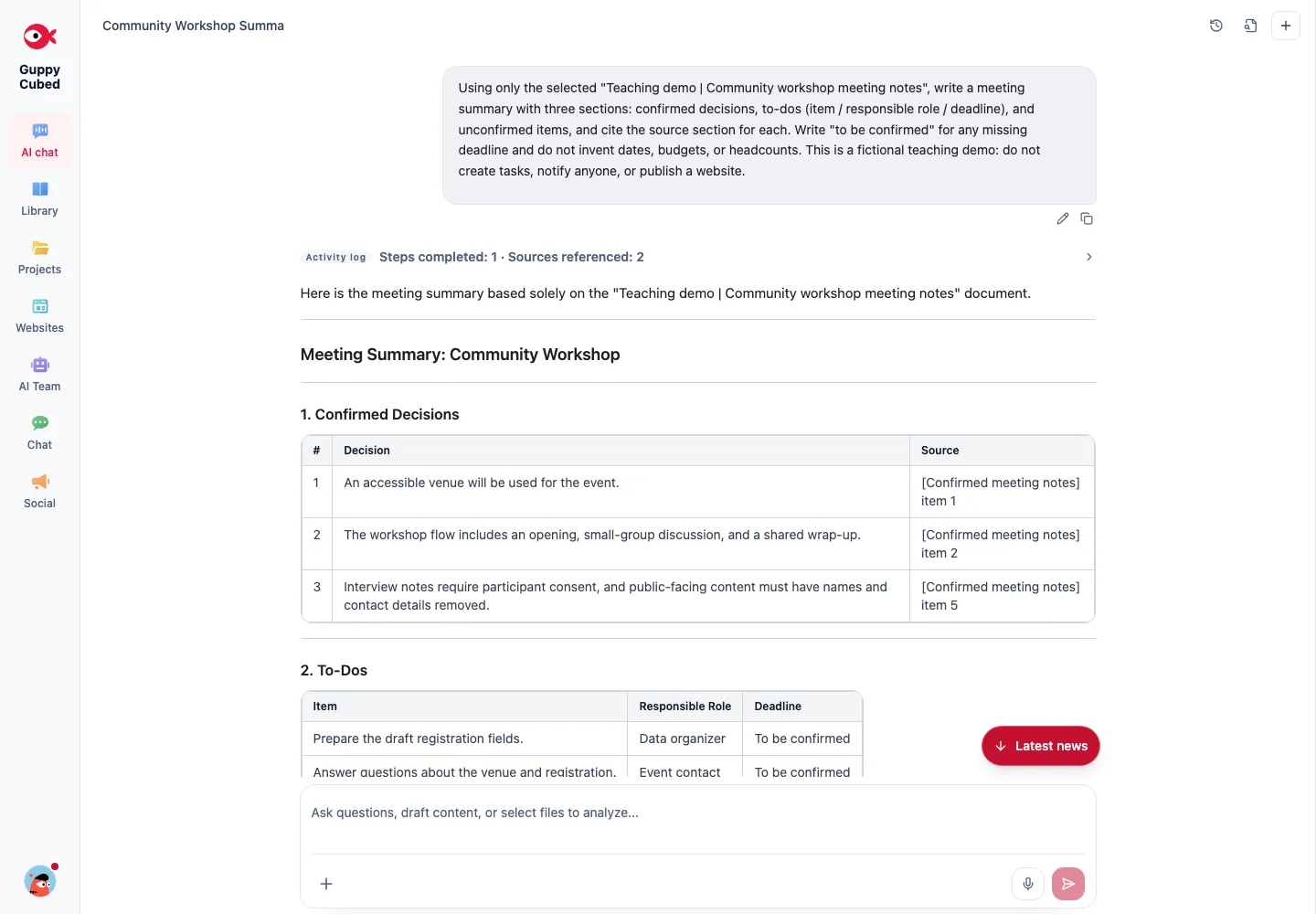
Imagine preparing a community workshop. Venue discussions live in chat, one colleague keeps the registration sheet, and field staff collect photos and audio. At handoff, the owner needs to establish what happened, what can be reused, and what is still missing.
With GuppyCubed, you hand that work to a digital employee that keeps it moving: projects describe goals, tasks assign delivery, events and surveys collect information, and the digital employee organizes the library while linking each conclusion to its source. Begin with the part that addresses your immediate need and connect more functions over time.
Common terms
| Term | Meaning | Workshop example |
|---|---|---|
| Digital employee | An AI work role with a defined job, knowledge, tools, and permission scope | The assistant that organizes meetings and follows up on material |
| First employee | Your first digital employee: GuppyCubed AI, included in every workspace | Turns the planning meeting into actions |
| Default assistant | A built-in role you add in one click, then rename and adjust | The Accounting Assistant reconciles workshop expenses and receipts |
| Verification | Comparing requirements with evidence: supported, contradicted, missing, or undetermined | Can "80 participants" be matched to the attendance list? |
| Assurance | Stating how certain a result is: confirmed, partial, or undetermined | Duplicates in the list mark the count as partial |
| Accountability | Who approved it, who signed off, who fixes it | The event owner confirms the count before publication |
| Permission levels | Set per employee and per action type: draft only, approve each time, ask on exceptions, autonomous within rules | Notification emails stay drafts until a person sends them |
| Workspace | Which team am I working for? | The tutorial team's data scope |
| Project | Why are we doing this and when is delivery? | Workshop preparation and records |
| Task | Who delivers what? | Draft registration fields |
| Event | How do people participate? | Registration and field participation |
| Knowledge | How will the digital employee find material again? | Venue notes and transcripts |
| AI draft | How can material become readable? | Decisions, actions, and open questions |
Permission levels are a design principle for authorization. Today, high-risk actions such as external publication always require human confirmation; how each level is configured depends on the current interface.
Plan
The Free plan covers up to 2 people with 5,000 credits a month, including GuppyCubed AI. Monthly is US$24 per person per month with every feature and 20,000 credits per person per month, pooled across the team. Annual is US$240 per person per year: 2 months free. Specialist employees are planned and are not yet available for purchase. See plans and AI credits.
Choose a reading route
- First use: quickstart, then how digital employees work, then verification, assurance, and accountability.
- Information and reports: library, AI reports, and common workflows.
- Grant reporting and outcome reports: common workflows, events and volunteers, surveys, and professional templates.
- Field work: mobile app, recording, and tasks and deliverables.
- Team rollout: accounts and workspaces and workspace administration.
- Comparing tools: GuppyCubed versus ChatGPT and Claude.
Judge adoption by whether another person can find the source, understand the requirements, and continue the work. Successful sign-in and many new projects establish setup, not a complete handoff.
Next step
Create a workspace and delegate your first task with the quickstart, or read common workflows.