Accounts, workspaces, and organizations
GuppyCubed uses several terms that are easy to confuse. Understanding how they relate will make the platform easier to navigate. Digital employees also work inside a workspace: what they can read and process never goes beyond the workspace and the scope you authorize.
User account
A user is a person who can sign in to GuppyCubed—you. Each person has one sign-in identity. There are no separate personal and organizational accounts to log into.
Impact Center
After signing in, you first see the Impact Center. It is your individual entry point and includes personal settings, notifications, your tasks, events you have attended, and donation records.
The Impact Center is not a full workspace. Its capabilities are limited to registering and checking in for events, completing surveys, making donations, viewing records, receiving notifications, and joining organizations.
Workspace
A workspace holds projects, tasks, the library, websites, reports, and collaboration data. Creating projects, uploading information, and producing outcomes all happen inside a workspace.
You can create a workspace yourself or join an existing workspace through a member invitation. These are different actions:
- Creating one yourself: after registration, follow the on-screen steps to create a new workspace; no activation code is needed;
- A member invitation lets you join an existing workspace.
Formal organization
If your organization uses GuppyCubed through a business partnership, school agreement, or enterprise contract, it has a formal organization space managed by plan, seats, payment, or contract. A formal organization is not another sign-in account; it is a more structured way to manage a workspace.
Personal and workspace capabilities
| Capability | Impact Center | Workspace |
|---|---|---|
| Register for events and check in | ✓ | ✓ |
| Complete surveys and donate | ✓ | ✓ |
| View your participation history | ✓ | ✓ |
| Create and manage projects | — | ✓ |
| Upload information to the library | — | ✓ |
| Produce reports and websites | — | ✓ |
| Invite members and configure permissions | — | ✓ |
In short: the Impact Center is the participation layer; the workspace is where work gets done.
Use one account across different work contexts
You may participate in public events and also help an association with a project. Participation records belong to your personal context; assigned association work depends on your role in its workspace. Check the active scope before adding material or requesting AI work.
Choose invitation or creation
If the team already has a workspace, obtain a member invitation rather than creating a duplicate. For your own work, create a workspace through the on-screen steps after registration; no activation code is needed.
When material is missing
Check that the sign-in method identifies the invited account, the active workspace and role are correct, and the project or folder is accessible. Give the administrator the expected workspace and material location. Do not copy restricted content into a public location to work around an access issue.
Check your active context
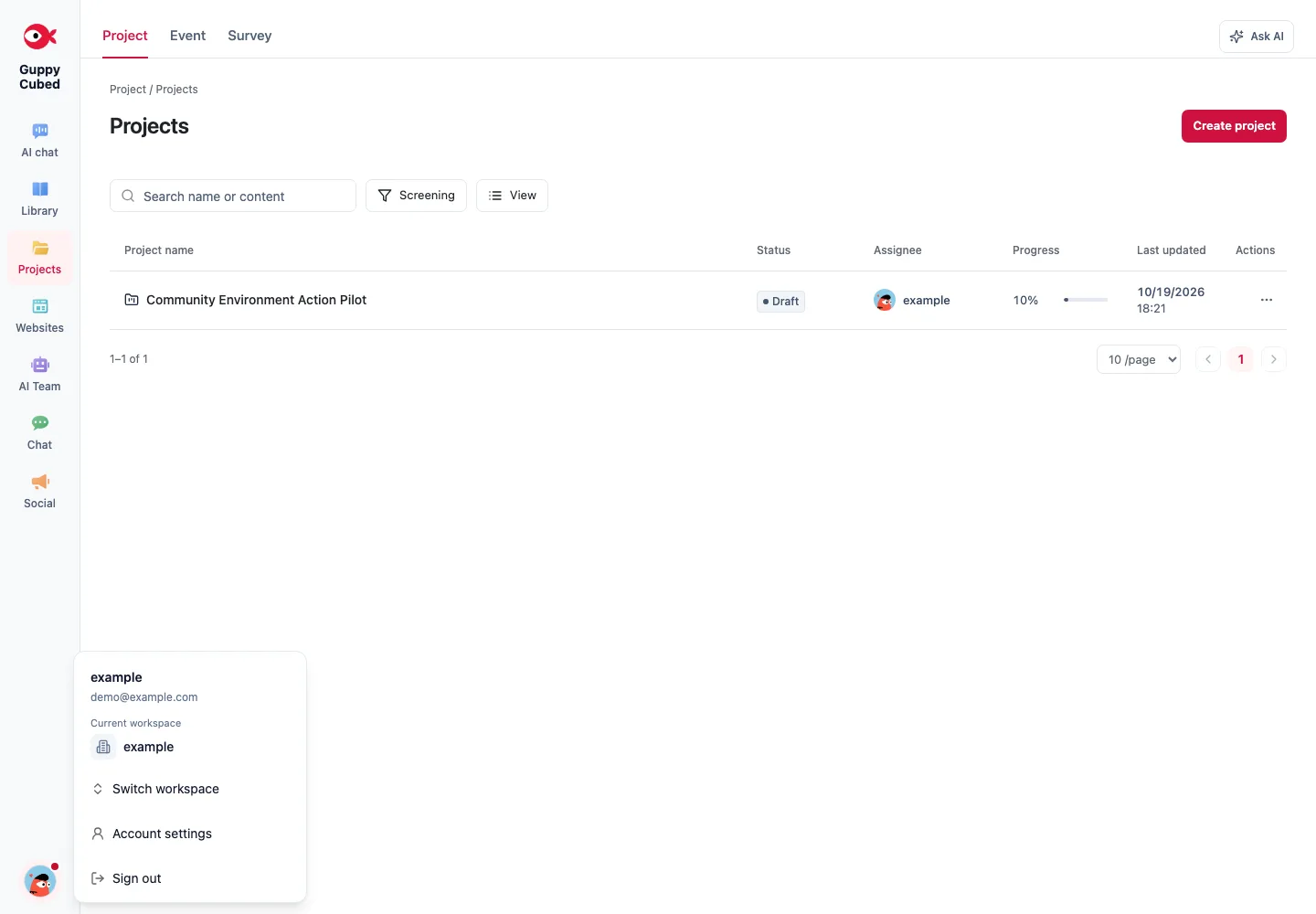
Read identity, role, and scope together
Your account identifies you, your role describes how you are acting, and data scope determines which material is available. A person may participate in public events and work for several teams without those contexts becoming interchangeable.
Before importing a photo into an organizational report, establish its destination, intended readers, and permission to use it. Similar workspace names do not imply merged data.
| Situation | Check first | Avoid assuming |
|---|---|---|
| A colleague invites you | Account and destination workspace | An invitation creates a new workspace |
| You begin new work | Available creation entry | Another same-name workspace is necessary |
| You join one project | Actual project and material access | Organization membership grants every file |
Verify after switching
Check the workspace name and open a known sample item. Inspect the destination shown when adding material and confirm that the task belongs to the current work. An avatar alone is not enough context.
When collaboration ends, review membership, project access, and individual sharing, and arrange handoff. Shared login credentials should not replace roles: they make responsibility and future maintenance difficult to establish.
Next step
To understand how work is organized inside a workspace, read Projects are the backbone of work.