Events and volunteer management
Event planning starts before publication and continues through registration, field records, and closeout. Assign owners for attendance, photos, surveys, and volunteer information before the event starts.
1. Create an event and choose its visibility
Open project management, choose the create-item action, and enter event editing. Open event settings. Linking a project is optional; an event does not always need a parent project.
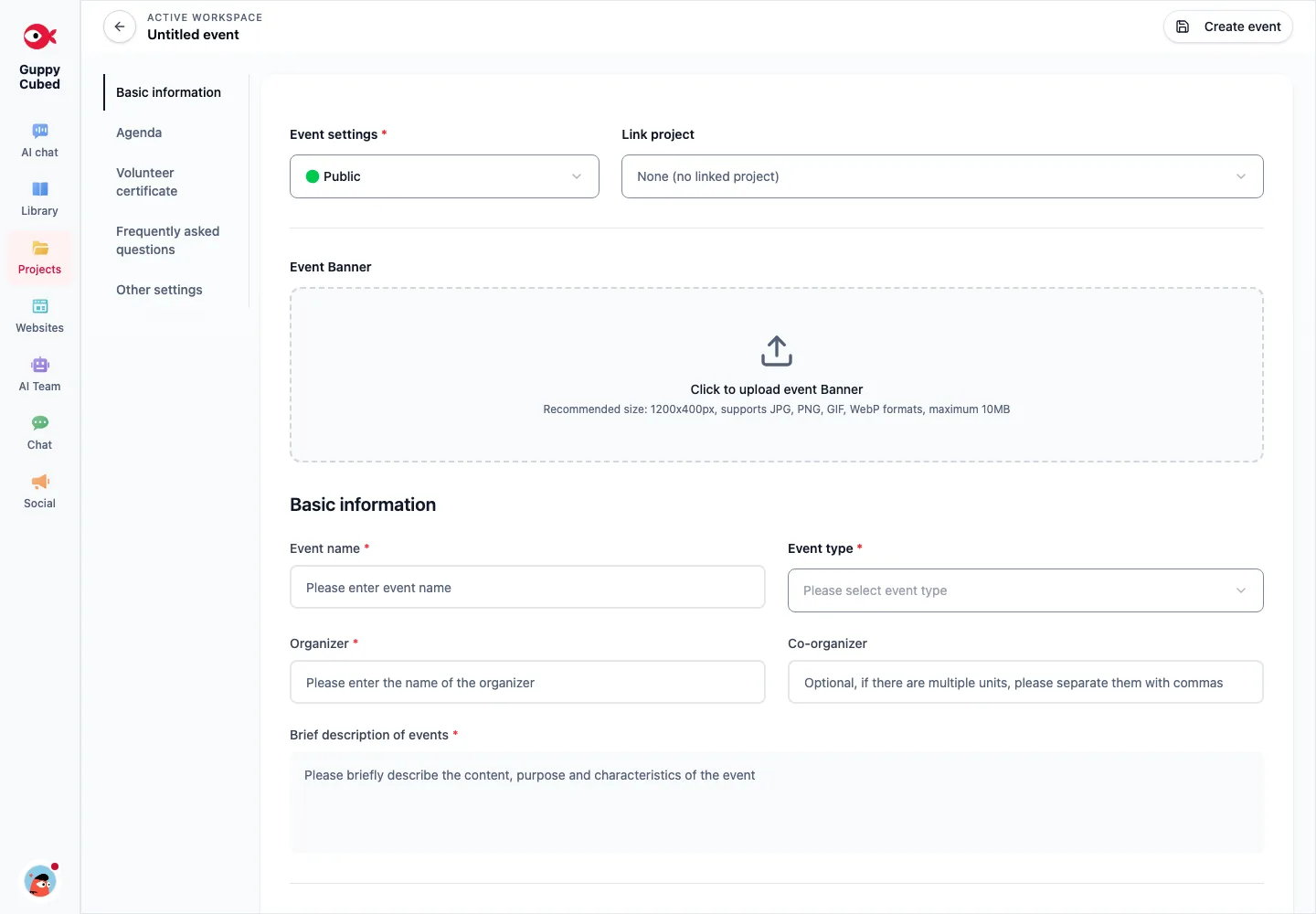
2. Complete information, timing, and location
Set the name, type, organizer, and description. Check the date and start and end times. Online and physical events need different location information; verify that participants know when and how to join.
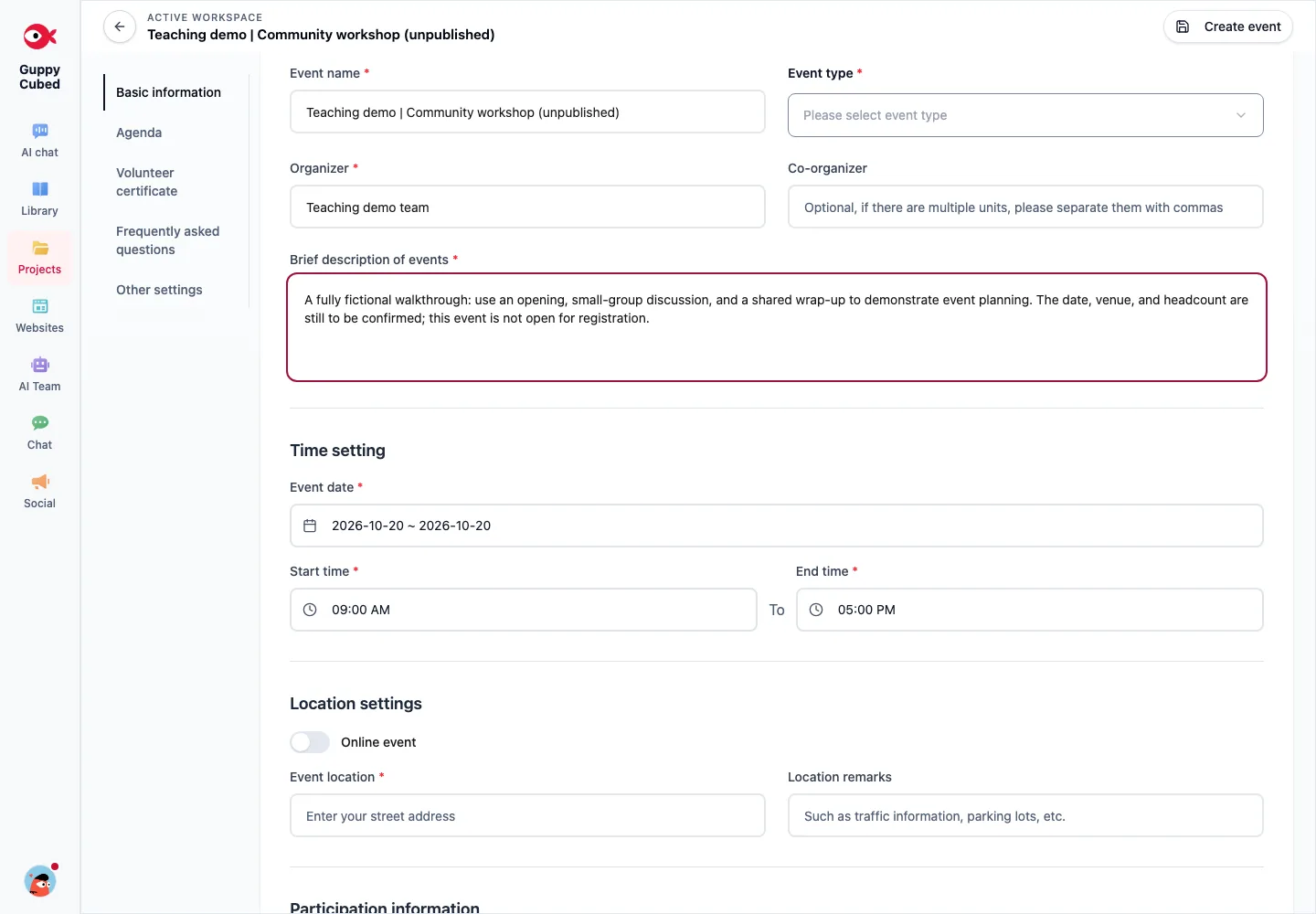
Review capacity, fees, and the contact person. Use SDG tags and goals that relate to the actual work. A classification tag is not proof that an outcome has been achieved.
3. Check the volunteer certificate template first
Before enabling volunteer features, check whether the organization has a certificate template. If the screen requests one, complete that setup before returning to the event.
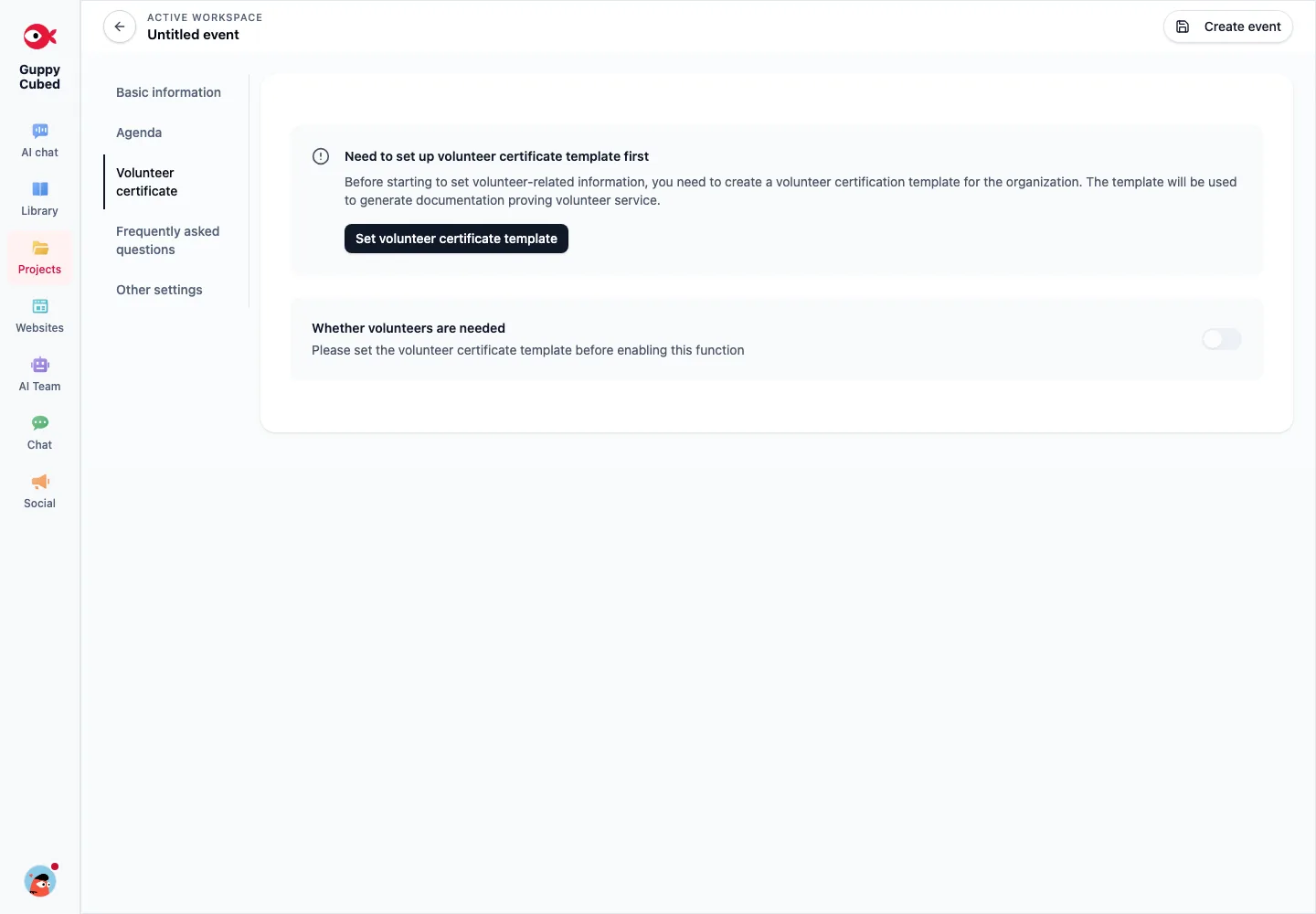
Verify hours and service descriptions against actual participation. Assign a reviewer before producing certificates; scheduled event duration alone does not establish each person’s service hours.
4. Review the participant view before sharing
Follow the available creation and publication actions, then check the event page, registration entry, and QR Code destination. Registration and on-site attendance are different actions; staff should know which entry they are presenting.
Open the link on a phone and check title, timing, location, and contact information. When details change, update public information and use the established notification process to inform participants.
5. Preserve attendance, photos, and feedback
Assign someone to handle exceptions such as cancellations, walk-ins, and duplicate check-ins. Give photos and comments event context. Use mobile recording when an interview needs an original audio source.
Plan feedback collection in advance. After collecting material, verify its location, processing status, and access scope so the closeout owner can retrieve it.
6. Prepare the closeout material
| Material | What to check |
|---|---|
| Registrations | Cancellations, duplicates, and test data |
| Attendance | Actual participants distinguished from registrations |
| Volunteer records | Actual hours, service content, and reviewer |
| Responses | Valid sample, scale, and collection period |
| Photos and interviews | Context and publication scope |
Select the relevant material in an AI conversation and request an outline, report, or presentation draft. This uses conversation and output capabilities; there is no separate event-report-generator page implied. Continue with AI reports and complete workflows.
Separate preparation, execution, and follow-up
Preparation establishes name, time, place, audience, and participation. Execution records registration, attendance, and field work. Follow-up organizes feedback and delivery material. Registration count is not attendance.
Help participants prepare
Explain what participants will do, who it suits, what to bring, and how to arrive or contact the organizer. Keep uncertain dates and venues in draft rather than treating sample information as an announcement. Associate the event with a project only when its scope fits.
Check actual attendance
Registration expresses intent; check-in records arrival. Handle duplicate entries, proxy submissions, and walk-ins according to the actual rules instead of treating every record as a unique person.
Check volunteer prerequisites
Complete prerequisites shown in the interface, such as certificate templates. Service hours and certificate eligibility require the organizer's rules and evidence; registration alone does not establish completed service.
Handoff after the event
Organize event information, attendance records, usable photos, feedback, and unfinished work. Photo descriptions can include date, session, and use without exposing participant lists. Tell the report preparer which material remains unchecked; photographs alone do not establish outcomes.