Create reports, presentations, and Excel workbooks with AI
Hand report preparation to a digital employee. It drafts from the material you authorize, every important number should link back to its source, and you confirm the result.
Describe what you need in a conversation
Tell the AI what you want—for example, “Turn this quarter's project progress into a presentation.” AI reads the projects, events, surveys, and library content you specify or have authorized in the conversation. It does not invent the material without sources.
Output formats
- Word documents and report drafts;
- PDFs;
- PowerPoint presentations, including editable files converted from HTML;
- Excel workbooks for spreadsheets, statistics, and calculations.
Download, edit, and save
Download the output directly or use GuppyCubed's standard editor to change text and layout. You do not need AI for every revision. Modified versions are retained for later comparison.
Video editing
Edit existing media or generate video content from a script description. This is useful for initial event highlights and outcome videos.
Always conduct a human review
Reports and presentations produced by GuppyCubed are drafts. Before external use, a person must verify every cited figure, date, and statement against its source. AI reduces preparation time; people remain accountable for the final version.
Related workflows
- To prepare an event closeout report, first make sure attendance and photo data is complete, then ask AI to organize it;
- To turn survey results into an outcome presentation, first create an analysis dataset on the Surveys page, then ask AI to prepare the presentation;
- For complete end-to-end examples, see Common workflows.
Agree on an outline before generating files
Prepare sources, period, readers, and purpose. In Portal conversation, request an outline and missing-information list before generating a document, presentation, or spreadsheet. Each format needs different review; it is not simply the same prose with another extension.
| Output | Specify | Check afterward |
|---|---|---|
| Report | Sections, length, audience, period | Figures, quotations, sources, version |
| Presentation | Slide count, purpose, charts | Overflow, chart definitions, sequence |
| Workbook | Columns, units, formulas | Ranges, blanks, totals, dates |
Example request
Use the selected event and survey material to propose six slides. Distinguish outputs, participant feedback, and unverified impact. Identify the source of every figure and leave unsupported items as missing information.
Before formal delivery
Open the downloaded file in its intended reader and inspect tables, images, and typography. Request specific revisions by page and content. Keep the accepted version and source list for the responsible reviewer.
For media, check material permissions, participant consent, and publication scope. A downloadable file is not automatically professionally verified or ready for publication.
Find report and presentation entries
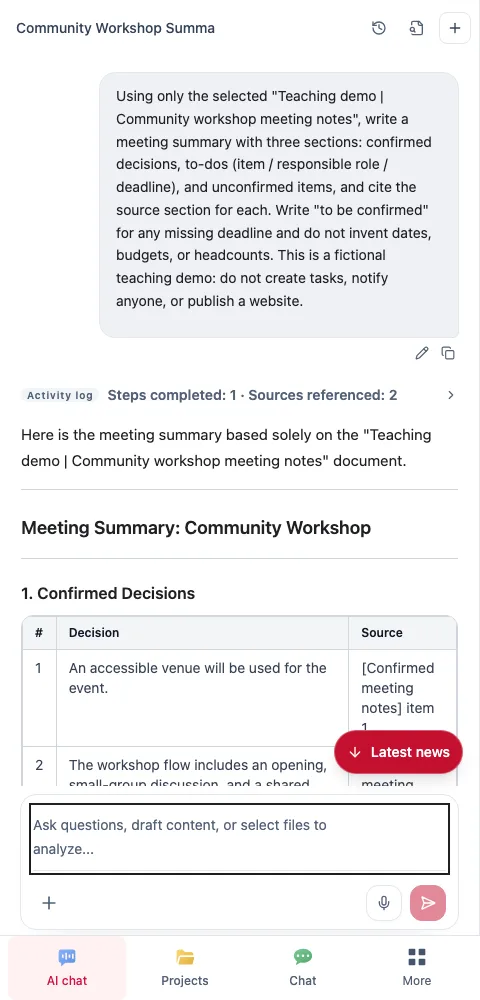
Break report generation into four checks
1. Select sources and purpose
Choose current material and identify readers. Internal meeting notes emphasize decisions and actions; public descriptions emphasize background, methods, and publishable detail. The same source need not produce the same length or disclosure.
2. Inspect the organized result
Separate confirmed information, inference, and gaps. Check period, topic, and roles before requesting a long document. Better formatting cannot resolve inadequate sources.
3. Choose a suitable output
Use documents for reading, slides for presenting, and spreadsheets for row-level checks. Specify chapters, pages, or fields, together with required source notes and unresolved points.
4. Inspect the actual file
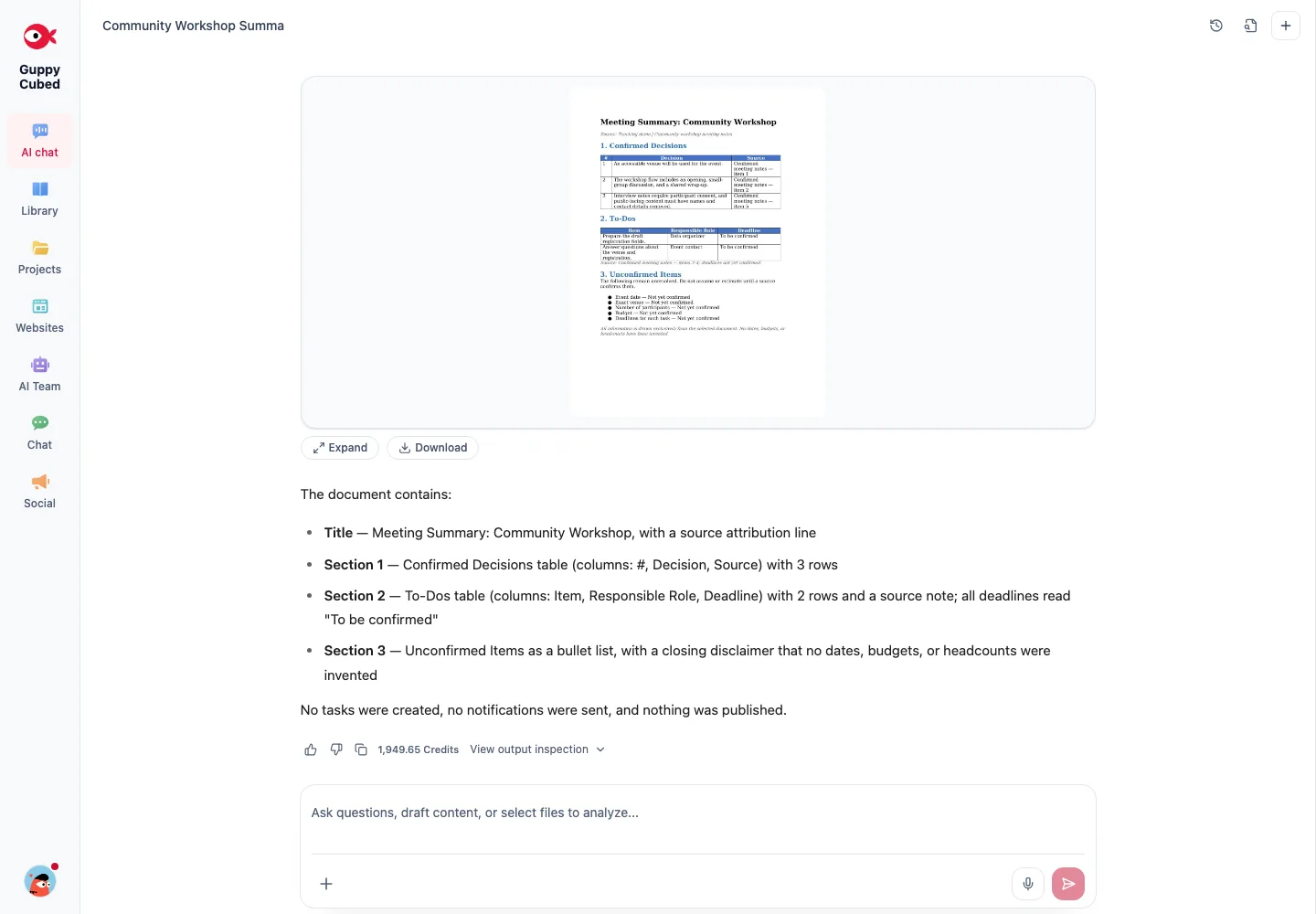
Open it and review paragraphs, charts, fonts, and page breaks. Check spreadsheet formulas, units, and blanks, or slide density. A conversation saying “done” is not enough: the file must open and meet the request.
Write actionable revisions
Paragraph three changed asking about a venue into a completed reservation. Restore the original status, keep the checked process description, and list the unresolved date and venue without inventing values.
Prepare the handoff version
Define what reviewers should check and request location-specific feedback. Retain the adopted version and source locations. Mark internal exercises as tutorial material so they are not later cited as customer evidence.
Download the practice material
Download the tutorial source and sample Word summary. Compare the original with the output. All material is fictional; unresolved dates, venue, and figures are intentionally retained for review practice.