Surveys and information collection
Use surveys to organize feedback for comparison, such as satisfaction, before-and-after responses, or stakeholder opinions. Define the question you want to answer before selecting item types and analysis methods.
Before you begin
Identify the purpose, respondents, collection period, and owner. For matched comparisons, decide how the same respondent will be identified across rounds. Collect only the information needed for the work and explain its intended use.
1. Open the survey editor
In Portal, open project management, choose the create-item action, and enter survey editing. Use survey import if you already have an organized response spreadsheet.
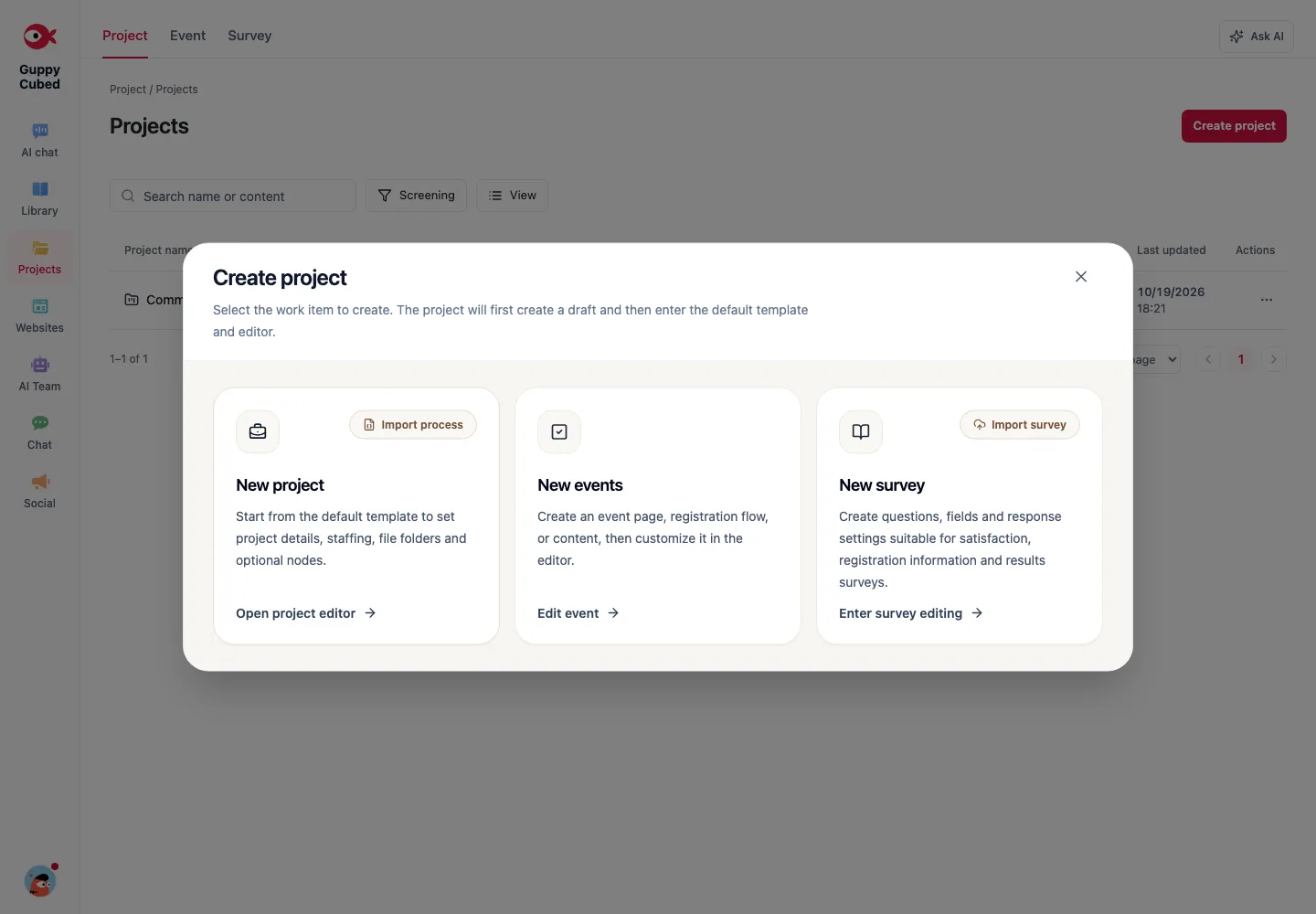
2. Define the scope and response rules
Set a title and description, then link an event or project when relevant. Check who may respond. If anyone can submit repeatedly, the number of responses cannot be treated as a count of unique people.
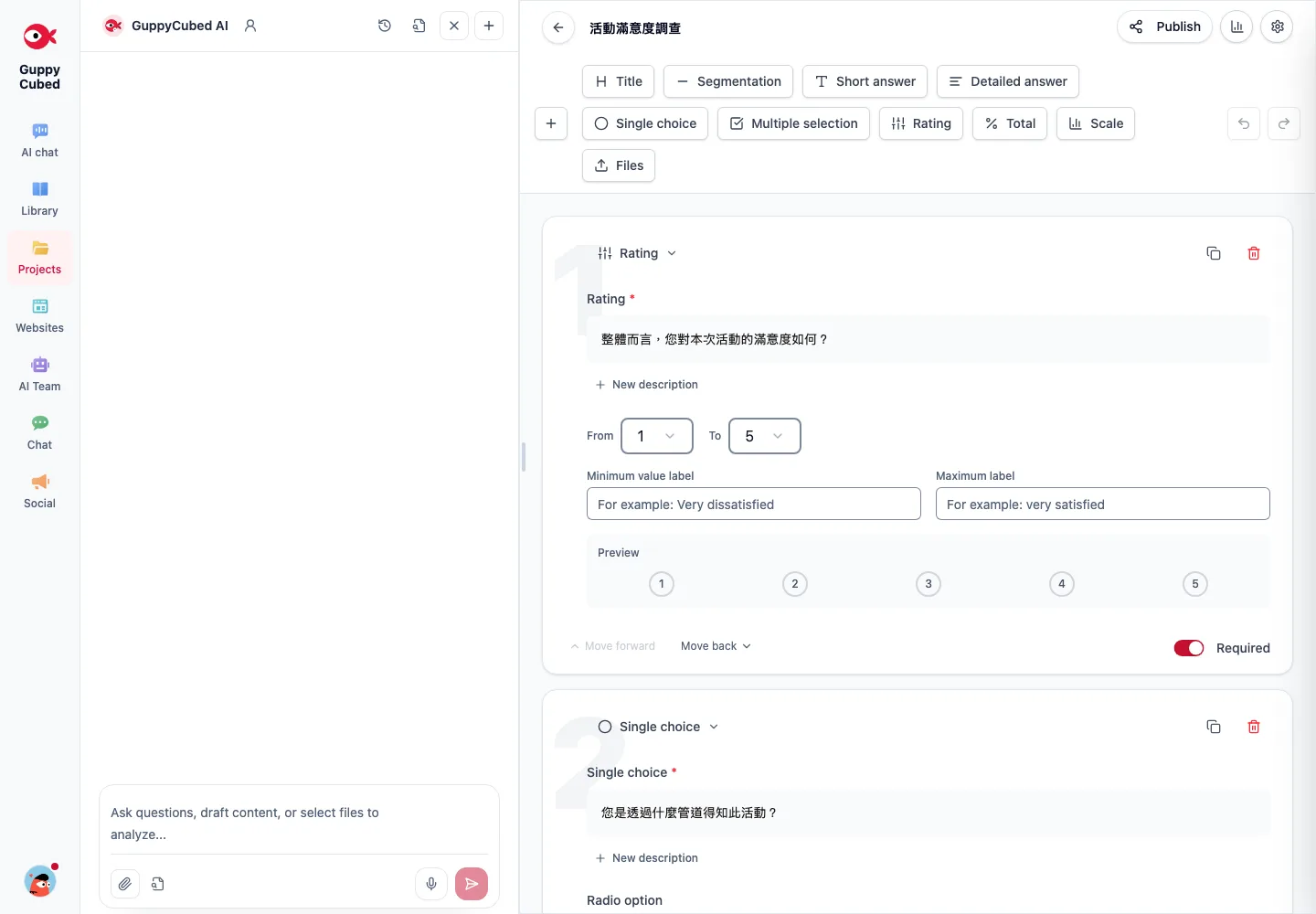
For a satisfaction survey, explain how the feedback will support improvements and reporting. Ask one thing per item, define scale endpoints, and reserve required fields for necessary information.
3. Choose item types or review a template
Start with short answers, long answers, choice items, ratings, scales, or files. Templates provide starting points, including satisfaction and before-and-after designs. Review every item and scale after choosing one.
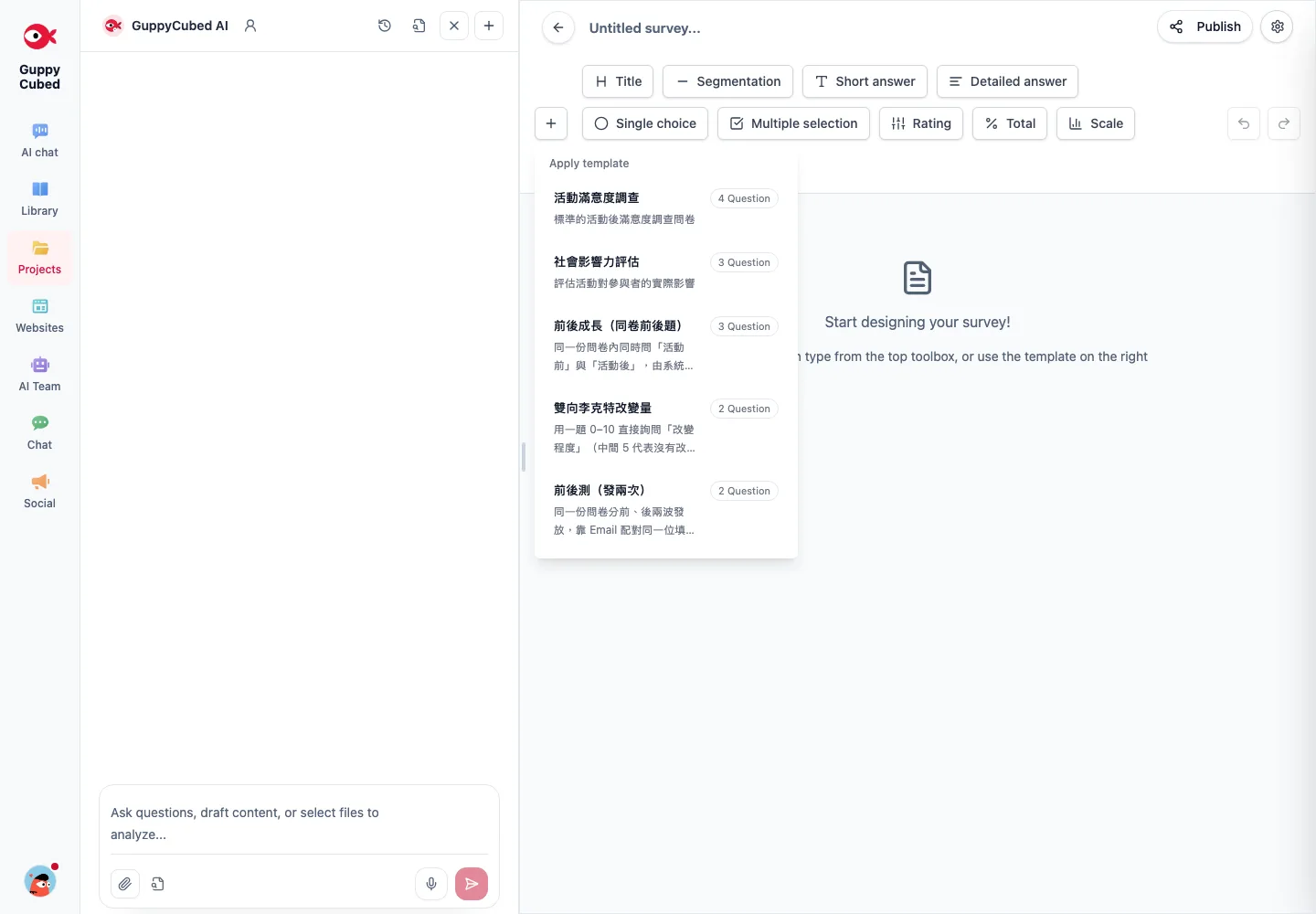
A single retrospective survey and two separate rounds are different designs. If using paired responses, retain the matching field in both rounds and decide how to handle missing or duplicate records.
4. Test the complete response flow before collection
Check ordering, required fields, mobile presentation, and submission behavior. Ask a colleague to review the survey as a respondent before sharing it. After collection starts, inspect sample records and date ranges. Identify or exclude test responses according to your team’s rules; confirm a record before deleting it.
5. Import spreadsheets or transcribed paper responses
Prepare one response per row and one field per column. Standardize dates, scales, and missing values. Review the import preview and column mapping before confirming. A photograph of a paper form is not the same as an organized response table.
After import, check record counts, options, and numeric scales. Distinguish blanks from zeroes, and check an earlier import’s status before repeating it.
6. Create an analysis dataset and reporting draft
Validate sample eligibility and indicator definitions before requesting AI analysis. Ask for observed patterns, possible explanations, and missing information separately, with the period, valid response count, and sources retained.
Identify three observations from this dataset. Name the supporting questions and valid samples, explain missing or unmatched data, and do not describe satisfaction as proven long-term impact.
Continue with reports and presentations. Survey analysis alone is not an SROI assessment; see professional templates.
Design questions from the decision
If you want to improve the next workshop, decide whether the issue is content, timing, or participation. Overall satisfaction may describe sentiment without identifying what should change.
| Question to answer | Possible prompt | Limitation |
|---|---|---|
| Which section helped? | Choose a session and explain why | Subjective respondent feedback |
| What should change? | Ask for a specific suggestion | Requires classification, including criticism |
| Will people return? | Use a clearly labeled intention scale | Intention is not observed behavior |
Review every template question
Rename the survey and instructions for your audience. Check required fields, choices, order, and purpose. Remove unnecessary personal-data questions even if included in the template.
Define scale endpoints and keep direction consistent. Explain what kind of open feedback is useful so responses have interpretable context.
Test before collection
Complete the flow with explicitly marked test data. Check mobile readability, required-field feedback, and submission state. Ensure recorded answers match the presented questions. Keep test responses separate from formal analysis.
Define analysis rules
Response count, valid responses, unique respondents, and participants can differ. Define treatment of duplicates, blanks, and tests before calculating percentages. If questions change, record which responses used the earlier version.
AI can categorize open text, but retain dissenting views and inspect originals. Post-event subjective feedback should be described within that scope, not as long-term impact or causation.