Team collaboration and task assignment
Invite members and assign roles
Invite colleagues into the workspace and grant permissions by role: who can create projects, who can publish content, and who can only view authorized information.
Create and assign tasks and track deliverables
Tasks can define an owner, deadline, required deliverables, and completion criteria. Members can see assigned tasks on the web or in the mobile app. When they upload a deliverable such as a file, photo, recording, or transcript, the submission retains its task context. Use the available knowledge-saving flow when it should become reusable knowledge. Managers can see who has completed the task and who has not submitted their work.
Team conversations: direct and group messages
GuppyCubed includes team messaging for one-to-one and group conversations, with text, attachments, and read status. Important content from a thread can be saved directly to the library.
Tag AI in a conversation
Tag AI in a conversation to organize the discussion, create tasks, or summarize key points. Tag AI has stricter tool permissions than a standard Portal conversation. It does not automatically read the entire workspace and only works within the scope authorized for that conversation.
Invite external collaborators to a specific project
You do not need to make an external partner a full workspace member. Invite them to a specific project instead, so they can only view and change information within that project and cannot access unrelated workspace content.
Create a deliverable task
Open task management and distinguish My Tasks from tracking work you can manage. Create a task with a name, description, deadline, assignment timing, members, and review method.
Immediate and scheduled assignment affect when another person receives the work. Confirm the handoff before assigning. The default review explanation identifies the initiator or manager and excludes self-review by the submitter.
Make acceptance criteria concrete
For interview work, require the original recording, a checked transcript, and three observations with supporting passages. Include the period and destination so both preparer and reviewer understand completion.
Preserve discussion context

Record decisions, actions, and sources after discussion. Read receipts do not replace submission or review. Explain revisions and their relationship to earlier material so members do not continue with outdated drafts.
Conversation, tasks, and delivery have different roles
Conversation carries questions and context, tasks establish ownership, and deliverables provide reviewable content. “Done” without a result is incomplete; an attachment without version context may also be ambiguous.
Write complete requirements
Use action, deliverable, and acceptance criteria. For example: organize venue conditions into an equipment-and-access checklist, separate unresolved items, and include sources. Then choose owner, deadline, and review method. Discuss undecided deadlines rather than committing for others.
Respond to an assignment
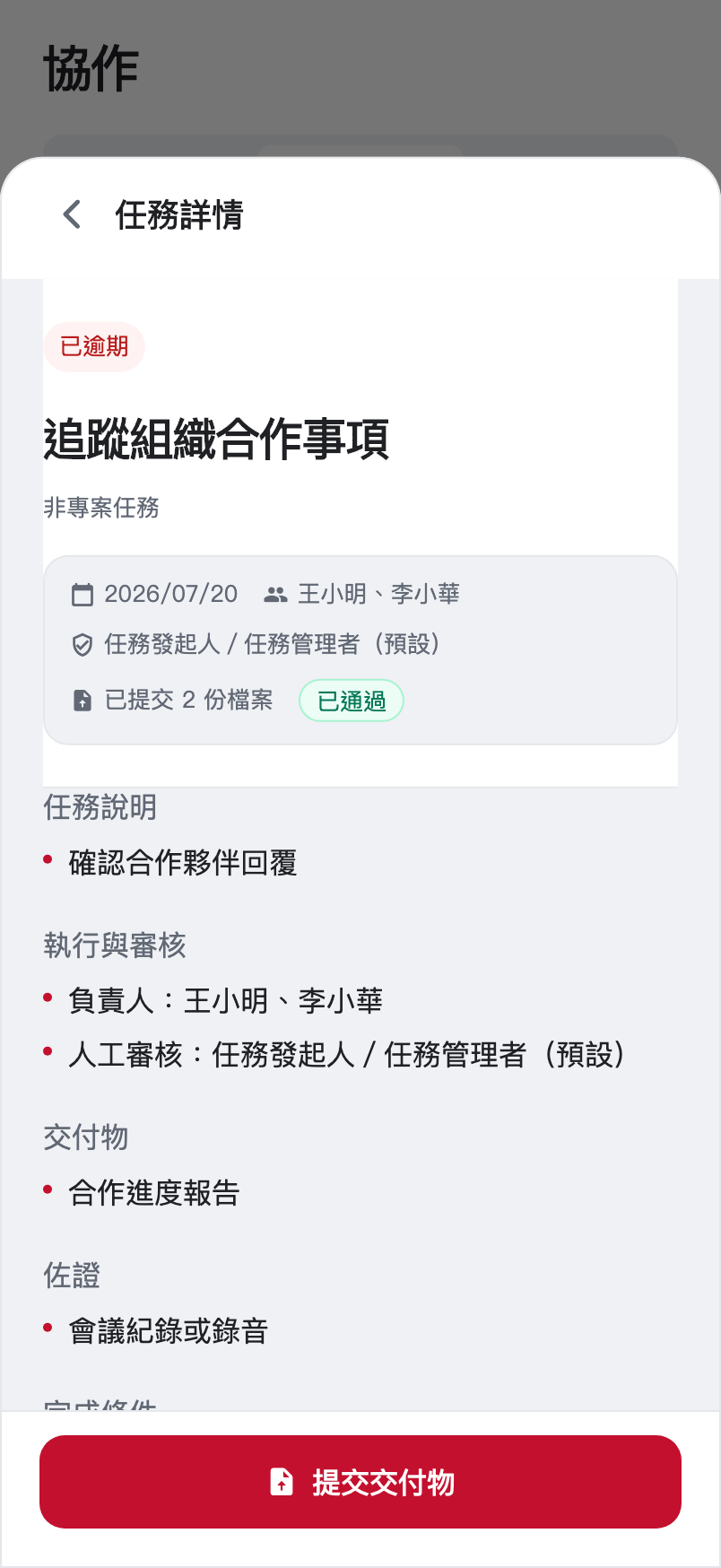
Check access to sources and clarity of requirements. Explain missing files, permissions, or decisions. Submit the result with supporting material and identify unresolved items.
| State | Meaning | Next action |
|---|---|---|
| Not submitted | No reviewable delivery yet | Prepare material and explanation |
| Submitted | Delivery was received | Check processing and review |
| More information needed | Some requirements remain unmet | Revise and resubmit |
| Accepted | This review scope was accepted | Handoff or promote useful knowledge |
Acceptance is not external certification and does not change public access automatically. Use the available knowledge-promotion flow for reusable content rather than assuming all chat attachments become organizational knowledge.