Library, sharing, and folders
The mobile library connects field material to team work. Add content directly or import through another app’s share menu, then verify its location and processing state.
1. Choose the source and destination
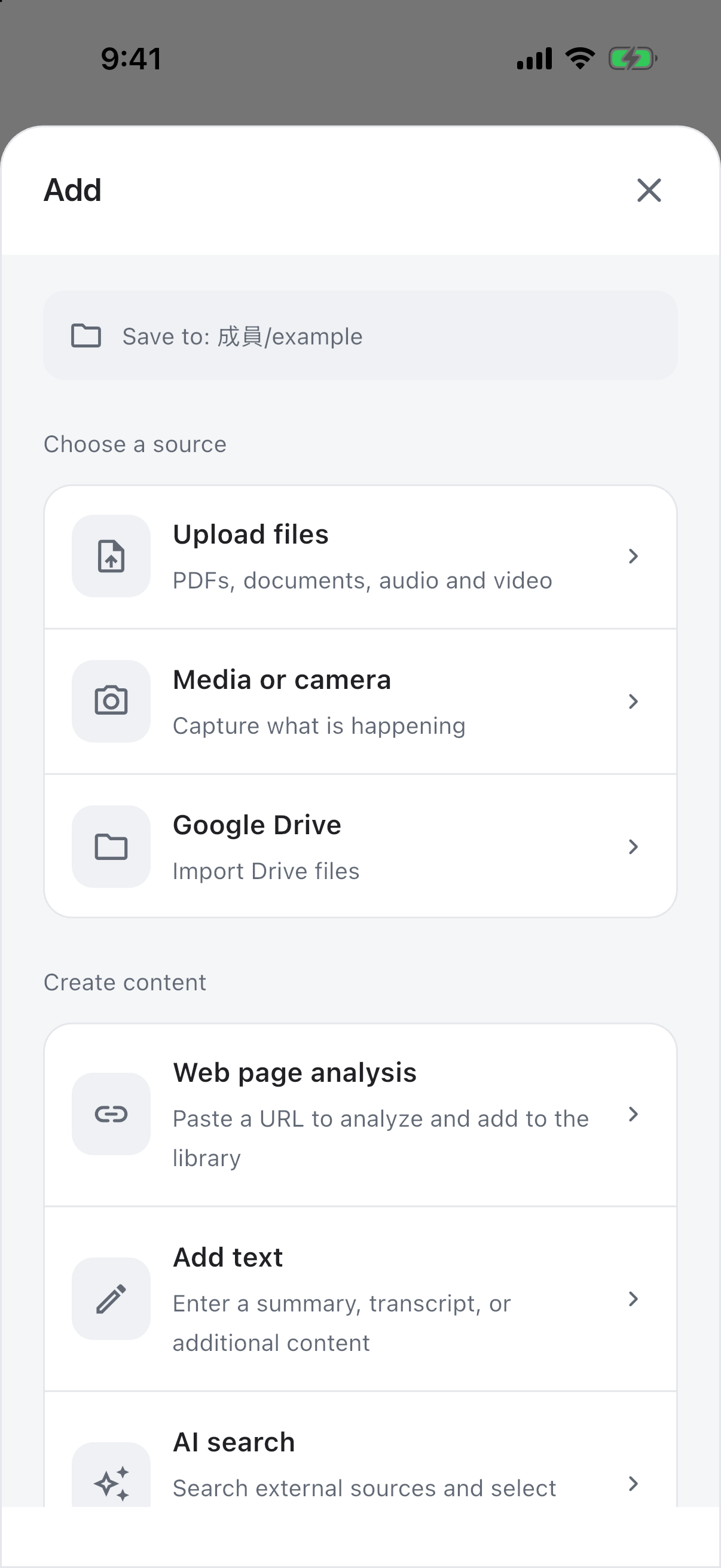
Open Add in the library. Check the destination before selecting files, photos, Google Drive, or another source. Processing varies by file type; review usage estimates when shown.
2. Import from another app’s share menu
Select text, a URL, or supported files, open the system share menu, choose GuppyCubed, and confirm an authorized workspace. System menus differ between iOS and Android and depend on the source app’s supported formats.
If GuppyCubed does not appear in the share menu, check the installed version, sign-in state, and system share-menu configuration. A missing entry in one source app does not mean all sharing is unsupported.
3. Review the suggested filing location
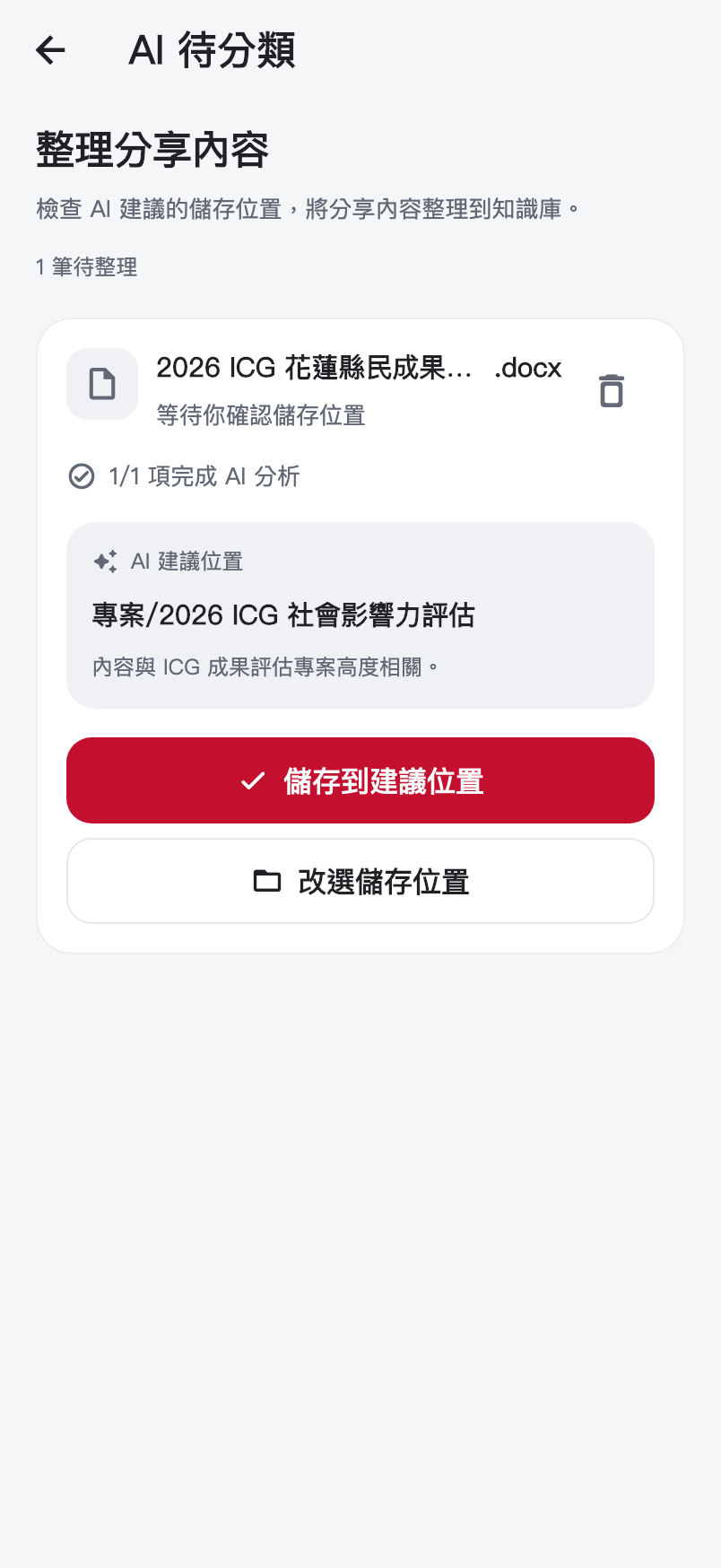
Check names, item counts, analysis status, and the suggestion’s reason. Accept only an appropriate destination. Otherwise choose another accessible location. A suggestion is not completed filing or permission to publish.
4. Verify the result in the library
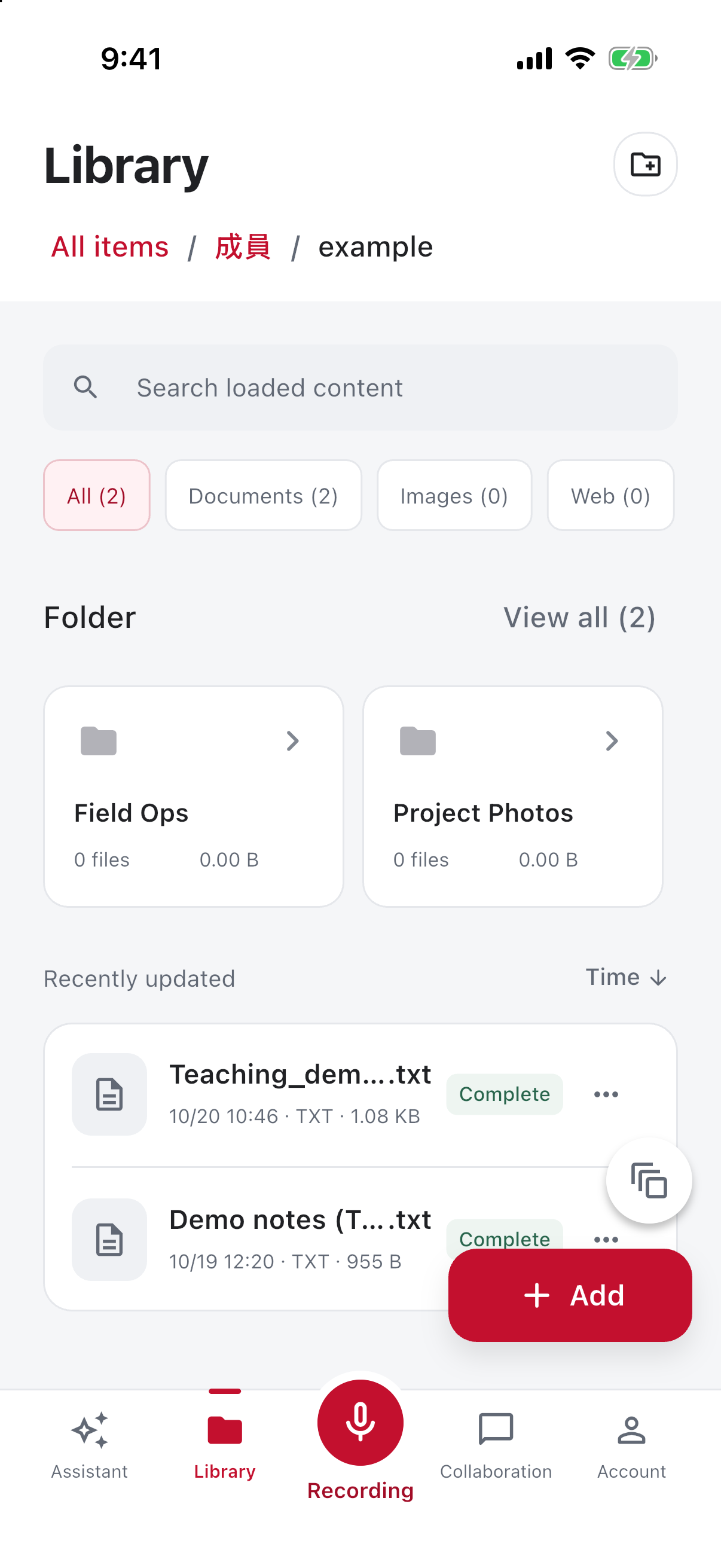
Open a preview and verify contents and location. Wait for transcription or analysis when it is still running. If material is missing, check workspace, filters, folders, and filing status before importing again.
Preserve context for handoffs
Include dates, topics, and intended use. Review sharing scope for internal-only material. Check original context before citing it in reports. Continue with the assistant or task submissions.
Different apps share different content
A browser may share a URL, a file app a document, and another app only text. Inspect what actually arrived. Sharing a page does not establish that every attachment or dynamic element was preserved.
Handle multiple items in order
Check names and count, inspect processing, then confirm destinations. Similar names require date and origin checks. A common AI suggestion does not make unrelated projects the same scope.
| Visible information | Meaning | Action |
|---|---|---|
| Name and source | Received material | Check completeness and selection |
| Processing state | Readiness for further work | Wait or handle explicit failure |
| Suggested destination | Proposed classification | Accept or choose another location |
| Save action | Filing in the selected place | Verify in the library afterwards |
Make filed material useful
Use recognizable dates and purpose, preserving source context and uncertainty. Explicitly select the intended material for later requests rather than treating a folder as one version.
If sharing fails
Check the source payload, sign-in, connectivity, and processing. If material arrived but is unfiled, handle it in the inbox instead of sharing again. Retain originals until successful receipt is confirmed.